Monday, 18 August 2014

What is NetWeaver

NetWeaver is SAP’s integrated technology platform ,and is not a product in itself.In fact, new version of basis is called the Netweaver.


The core capabilities of SAP NetWeaver are the integration of people, information, and process

People integration

It simply means that it enables you to bring people together and help them work more efficiently.
 Examples:-
  • Portal: - provides industry leading portal technology that delivers unified, personalized, and role-based user access
  • Collaboration: - Collaboration promotes cooperation in enterprises using virtual team rooms (Collaboration Rooms), real-time communication (chat and application sharing) and the use of third-party groupware and synchronous collaboration tools (for example, Microsoft Exchange, Lotus Notes, and WebEx)
  • Multi-Channel Access :- With Multi-Channel Access, you can connect to enterprise systems through web-based, voice, mobile, messaging, or radio-frequency technology.

Information integration

  It means you can bring together information from a variety of locations and have it make sense in the context of what your folks do everyday!
 Examples:-
  • Business Intelligence:-  It provides you with reliable tools for creating individual and interactive reports and applications.
  • BI Content & BI Content Extensions :- Enables quicker implementation using pre-configured role  and task oriented information models in SAP Business Intelligence.
  • Knowledge Management:- Allows common access to unstructured information and documents in a distributed storage landscape like Search,Classification,Subscription,Versioning,etc..
  • Search and Classification (TREX) :- Provides SAP applications with numerous services for searching, classifying, and text-mining in large collections of documents (unstructured data) as well as for searching in and aggregating business objects (structured data).

Process integration

  It means coordinating the flow of work across departments, divisions, and between companies. Usage type process integration includes all functions previously covered by SAP NetWeaver Exchange Infrastructure that you use to realize cross-system business processes. This SAP NetWeaver usage type enables different versions of SAP and non-SAP systems from different vendors running on different platforms (for example, Java ABAP, and so on) to communicate with each other. SAP NetWeaver is based on an open architecture, primarily uses open standards (in particular those from the XML and Java environments), and provides services that are essential in a heterogeneous and complex system landscape. These include a runtime infrastructure for exchanging messages, configuration options for managing business processes and the flow of messages, as well as options for mapping messages before they reach the receiver.

Application Platform

 SAP Web Application Server provides a complete development infrastructure on which you can develop, distribute, and execute platform-independent, robust, and scalable Web services and business applications. SAP Web Application Server supports ABAP, Java, and Web services.

Thursday, 14 August 2014

How to delete transactional RFCs ?

This article answers following queries:


  • How to delete transaction rfc’s in SAP?
  • Explain the process of deleting struck or old transactional rfcs in SAP
  • How to delete trfc’s in SAP?
-----------------------------------------------------------------------------------------------------

Sometimes, you may face transactional rfc issues in SM58 (like connection error/SQL errors/Application error/System error etc). In those cases, you want to delete those problematic rfc entries. So, please proceed as follows for deleting those entries.


Login to SAP system ABAP stack and navigate to SM58 transaction as shown below. Select the display period and username as per your requirement and execute by clicking on highlighted icon below.


For example, there are 2 transactional rfc errors (similar to below screen) 


If you want to delete them permanently from the above list, you have to proceed as shown below.

Navigate to Log file -> Reorganize as shown below


It will result in below screen. 


Please provide the relevant dates/destination/username and select status as applicable to your scenario and execute the same by clicking on highlighted icon.


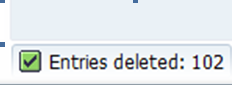
Based on the above criteria, whatever rfc’s that is matching will be deleted and a confirmation message similar to below will be displayed on the status bar.

Types of RFC communication

This article answers the following queries:

Ø  What are the different RFC communication types in SAP?
Ø  What is the difference between Synchronous and Asynchronous RFC types?
Ø  What is the RFC communication type in which all requests are processed in order they are received?
Ø  What is the difference between Transactional RFC and Queued RFC?
Ø  What is/are the RFC types in which remote system is not required to be available at the moment the RFC client program start the call?
Ø  In what scenarios, Queued RFC type can be used?
-------------------------------------------------------------------------------------------
There are mainly 4 types of RFC communication in SAP. They are
v  Synchronous RFC
v  Asynchronous RFC
v  Transactional RFC
v  Queued RFC

Synchronous RFC (sRFC) :  In this type of RFC communication, the calling program waits until the requested processing step on the remote system has ended and then continues to work locally.
In other words, both the systems involved must be available at the time the call is made.

Asynchronous RFC (aRFC) : In this type of RFC communication, the calling program gives the request to the remote system and immediately continues to work locally. The requested processing step is executed on the remote system in isolation.
If the remote system cannot be reached at the time of the call, the asynchronous calls of the RFC client are lost

Transactional RFC (tRFC) : This type of RFC communication is similar to asynchronous RFC but by allocating a transaction id(TID)  it guarantees  that if a request is sent several times because of network problems  it is processed only once. Unlike asynchronous RFC,  in Transactional RFC the remote system does not have to be available at the moment the RFC client program start the call. The data is held in the source system until the target system is available.
The report program RSARFCSE is called in the background at regular intervals and tries to place the unsuccessful requests, identified by their transaction id again.

Queued RFC (qRFC) : This RFC communication is an extension to the transactional RFC. In this method, all the requests are queued up(inbound queue and outbound queue) and are processed in a sequence only if it is certain that all preceding calls are processed correctly. This method guarantees that all the requests are processed in the sequence in which they are received.
This type of RFCs will be used in SCM (APO) systems for CIF queues etc where requests have to be processed in an order.


Related Links :

How to create an RFC Connection in SAP ?

How to create an RFC destination ?


Go to SM59 transaction :


Click on create icon in the above screen, which leads to below screen


Specify RFC Destination name and description and connection Type in the above screen


Please note respective connection type to be selected from dropdown based on the connection required. Usually 3 is for ABAP system. (Pls find screenshot below)


In the below screen, please select load balancing radio button based on your system setup (i.e if there is load balancing configured for your system, specify it as yes otherwise no)

Please provide Target host details like hostname or ipaddress and system number as below:


As shown below, Proceed to Logon & security tab and provide following details :

Select trusted system as no, in case you would like to connect to a system with a user id and password.

 If you don’t want to get authenticated by credentials specify the system as trusted system which won’t prompt to enter user id/pwd credentials in the below screen.

Please provide Language details like EN (for English), Client details, User id and password for the system you would like to create a connection.


Please leave default values in other tabs (i.e MDMP & Unicode, Special options, Administration) and then click on Save to complete the RFC creation.


How to Test RFC connection ?


If it functioning well it should show output similar to below screen :


If this is fine, come back to earlier screen and execute Unicode test by clicking the button. Output similar to below screen, should be displayed if connection is OK


Also you need to perform authorization test to make sure user id / password credentials provided are correct.

Please navigate as below and perform the test :


Navigate to Utilities -> Test -> Authorisation test and click  the same to execute.


If the RFC configuration is fine, screen shot similar above will appear. Otherwise an error will be displayed based on which you need to troubleshoot to fix the issue.


How to delete an RFC ?

Goto SM59 and select the RFC that is to be deleted as shown below :


And click on delete icon


Click yes to confirm deletion, which deletes the RFC.


Click on Connection test tab to check the connection for the RFC


How To Delete Spool Request In Queue That Causing ABAP Runtime Error

Sample of the errors:


1) ABAP runtime error (TCODE: ST22) 

2) List of error that caused by spool request

3) Details of the error

Solution:

1) Execute TCODE: SE38 -> Enter "RSPO0041" -> click the execute button to run the program

2) Click the execute button with all the default value

3) Wait until the delete spool process complete

4) TCODE: SM50 showing the deletion process is running

5) Once deletion complete, execute TCODE: SQ01 to ensure all the spool request been clear completely

6) Sample of spool request before deletion

7) All the previous spool request been remove

Wednesday, 13 August 2014

What is Dynamic and Static profile parameter in SAP

Basically there are 2 types of parameters :


  • Static
  • Dynamic
Static are the parameters those won't take effect immediately the value is set. Restart of an sap system is required for them to take effect.

Dynamic are the parameters those will take effect immediately in the run time. Restart of an sap system is not required for them to take effect.

Monday, 11 August 2014

Types of SAP Upgrades

SAP has three main types of upgrade.

Technical Upgrade: Considered to be the fastest upgrade which does not disturb any of the existing business processes.

Functional Upgrade: This upgrade starts with a technical upgrade, mentioned above. A functional upgrade allows new functionality to be implemented as part of the upgrade project. This upgrade type also provides you with the ability to convert many of the custom process into standard functionality.

Strategic Upgrade: This is driven by enterprise SOA to provide more flexibility to business process innovation.


Technical Upgrade vs Functional Upgrade :

As the name implies, technical upgrade only upgrades the software to the latest version and the new functionalities that come with the new version are
not activated or implemented. Whereas in a functional upgrade, the functionalities offered by the new SAP version are also implemented in addition
to technically upgrading the software.